DANCE & CELEBRATIONS / EDITORIAL GUIDE
AI party dance video: the banquet-hall trend and photo guide
The Party Viral Dance format builds toward a reveal: a recognizable lead moves through a celebration, then takes over the dance floor. A useful template needs both a clear portrait and a consistent movement reference.
TrendPico is planning this banquet-hall direction for its Party Dance effect. Generation remains Coming Soon while the motion reference and output quality are unverified. This guide explains the intended experience and the checks that matter when comparing a template with a generic photo animation.
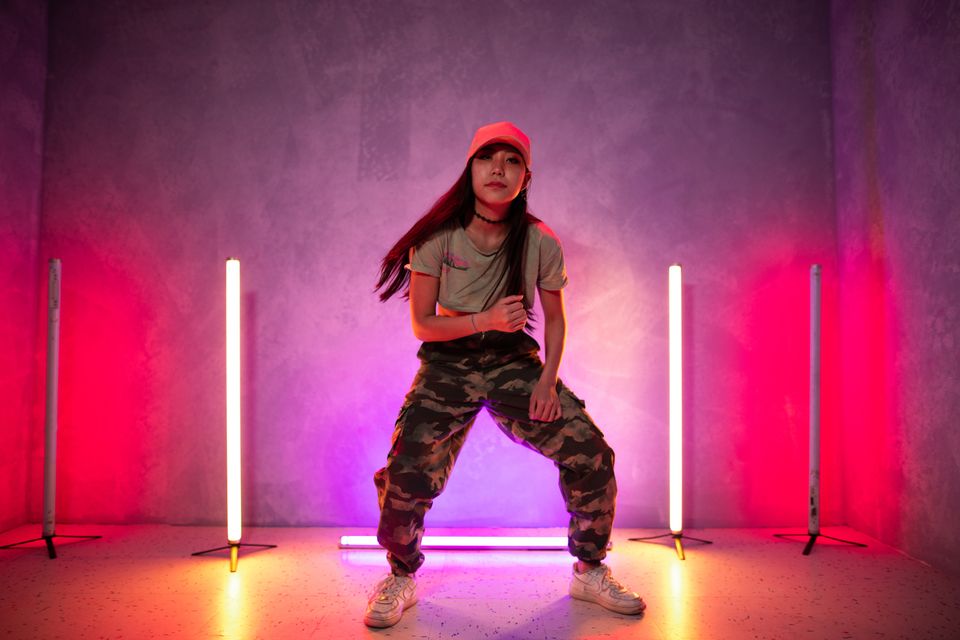
Use this guide to plan your photos and story. Check each effect page for current creation availability and photo requirements. The photographs here are images for inspiration, not generated video demos. Results may vary.
STORYBOARD LIBRARY
Four things to look for in a Party Dance example
Use these checks when reviewing a complete generated clip. They describe the intended quality bar, not measured TrendPico results.
A face you recognize throughout
Set-up: The lead should remain distinguishable from the guests in the background.
Action: Watch the face during changes of angle, partial occlusion and the final movement.
Editing note: Compare the start, middle and ending with the input portrait. A convincing first frame cannot establish identity consistency.
An entrance with a clear direction
Set-up: The celebration gives the lead a path toward an open dance area.
Action: Look for a continuous progression rather than a subject sliding across an unrelated background.
Editing note: Check whether feet meet the floor and whether camera movement makes the action easier to follow.
Guests who stay in the background
Set-up: The crowd supports the performance without becoming another copy of the lead.
Action: Check that clapping hands remain plausible and nearby bodies stay separate.
Editing note: Pause where people overlap. Identity transfer, fused limbs and sudden extra faces are reasons to reject an example.
A finish that holds together
Set-up: The open floor gives the larger closing movements room to read.
Action: Review the complete jump or turn, including its landing and the final pose.
Editing note: Do not hide broken anatomy with a short preview. The downloadable file should be judged from beginning to end.
PRACTICAL WORKFLOW
How a reference-guided Party Dance template works
Choose an authorized adult portrait
Use a clear photo of yourself or an adult who agreed to the animation. Keep the face unobstructed and the clothing visible. Full-body framing provides more information than a headshot. Avoid other people in the image, heavy filters and cropped joints.
Check what guides the movement
MakeViral publicly describes a one-photo workflow with a built-in reference clip and prepared instructions, using Seedance 2.5. Its page advertises 12-second vertical output. These are its product claims, not independently tested TrendPico capabilities. A generic party prompt does not guarantee the demonstrated choreography.
Review the example and quote before submitting
The intended TrendPico flow is template selection, photo upload, consent and a server-confirmed credit quote. It remains closed until an authorized motion reference, supplier integration and real output have been validated. A competitor’s credit price cannot determine another product’s cost or customer price.
Inspect the result and choose permitted audio
Play the whole file and inspect identity, outfit, body movement and the ending. Check its actual dimensions, duration and audio rather than relying on requested settings. Use music you have permission to share and identify the result as AI-generated. Do not assume a reference video grants permission to reuse its recording.
QUALITY & RESPONSIBLE USE
What can make the result miss the trend
- A simple solo sway may fit a party theme while missing the reference routine. Judge the sequence of actions, not just the lighting.
- A portrait example is not an output demo. Watch a full generated video before deciding whether a template meets your needs.
- Matching the lead face only at the start is insufficient. Turns, overlapping guests and fast movement can reveal identity drift.
- Publicly viewable footage is not automatically licensed as a generation reference or product demo. Input, output and soundtrack rights need separate consideration.
- Provider errors, pending jobs and completed results you dislike are different outcomes. Check the current credit and refund terms.
FREQUENTLY ASKED QUESTIONS
A few more useful answers.
Is this the same format as Dime Dime Baby?
No. This guide concerns the banquet-hall Party Viral Dance format. Names across template sites can be inconsistent, so compare complete example videos and their sequence of actions.
Do I need to record myself dancing?
The planned TrendPico template would accept one adult portrait and supply its own authorized motion reference. That flow is still Coming Soon; no customer upload or generation is currently available for this effect.
Does TrendPico use MakeViral’s video?
No. MakeViral is a product reference. TrendPico has not copied its reel or soundtrack and needs a separately authorized motion reference before enabling this effect.
Can I create a Party Dance video on TrendPico now?
The effect page is available to explore, but generation is Coming Soon. There is no Party Dance credit charge or verified output demo yet. The photo on this guide is a licensed visual reference.
FURTHER READING
Sources and practical references
The examples and shot plans above were written for TrendPico; these external resources provide additional context. Editorial photography is independently credited above.
- MakeViral: Party Viral DanceThe selected product reference. Its public page describes a portrait, a built-in dance clip and preset instructions. Its output claims have not been independently tested here.
- KIE: Seedance 2.5 API documentationPrimary documentation for a potential reference-video route. API support alone does not establish asset rights, production readiness or output quality.
MORE CREATIVE DIRECTIONS
See related concepts and guides
Explore photo tips and check current creation availability on each effect’s page. The photographs shown there are images for inspiration.
Turn an idea into an editable prompt